Why We Recommend OAuth2 Over API Keys for PSRESTful Integrations
PSRESTful now supports OAuth2 client-credentials authentication, the machine-to-machine flow your backend uses to call an API on its own behalf. You create a Developer App in the dashboard, exchange a client ID and secret for a short-lived access token, and send that token as a Bearer header.
API keys still work, and we’re not deprecating them. But if you’re building a server-side integration, whether that’s an ERP sync, a storefront job, or a service that submits purchase orders, this is the auth method we’d like you to use. Here’s the reasoning.
The quiet problem with a long-lived API key
An API key is a single static string that never expires. That’s exactly what makes it convenient, and exactly what makes it a liability once your integration is real.
In practice, one key tends to end up everywhere. It’s in the ERP’s config table. It’s in the staging environment, because staging needed to work too. It’s in a .env that somebody copied to their laptop in 2024. It got pasted into a Slack thread during an incident. Every one of those copies has the same power as the original, forever, and none of them leaves a trace when it’s used somewhere it shouldn’t be.
The failure mode isn’t the leak. It’s the cleanup. When you suspect a key is compromised, rotating it means finding every system holding it and updating them all at once, or accepting that some of them break. Teams put that off. A credential you’re afraid to rotate is a credential you no longer really control.
What changes with OAuth2
The client-credentials flow separates the thing you store from the thing you send.
Your backend holds a client ID and secret and keeps them server-side. It exchanges them for an access token, and that token, not the secret, is what travels with every API call. Tokens are valid for 24 hours, so a leaked token has a short shelf life. The secret itself only ever moves between your server and our identity provider.
The other half of the value is granularity. Each integration gets its own Developer App, which means its own credentials.
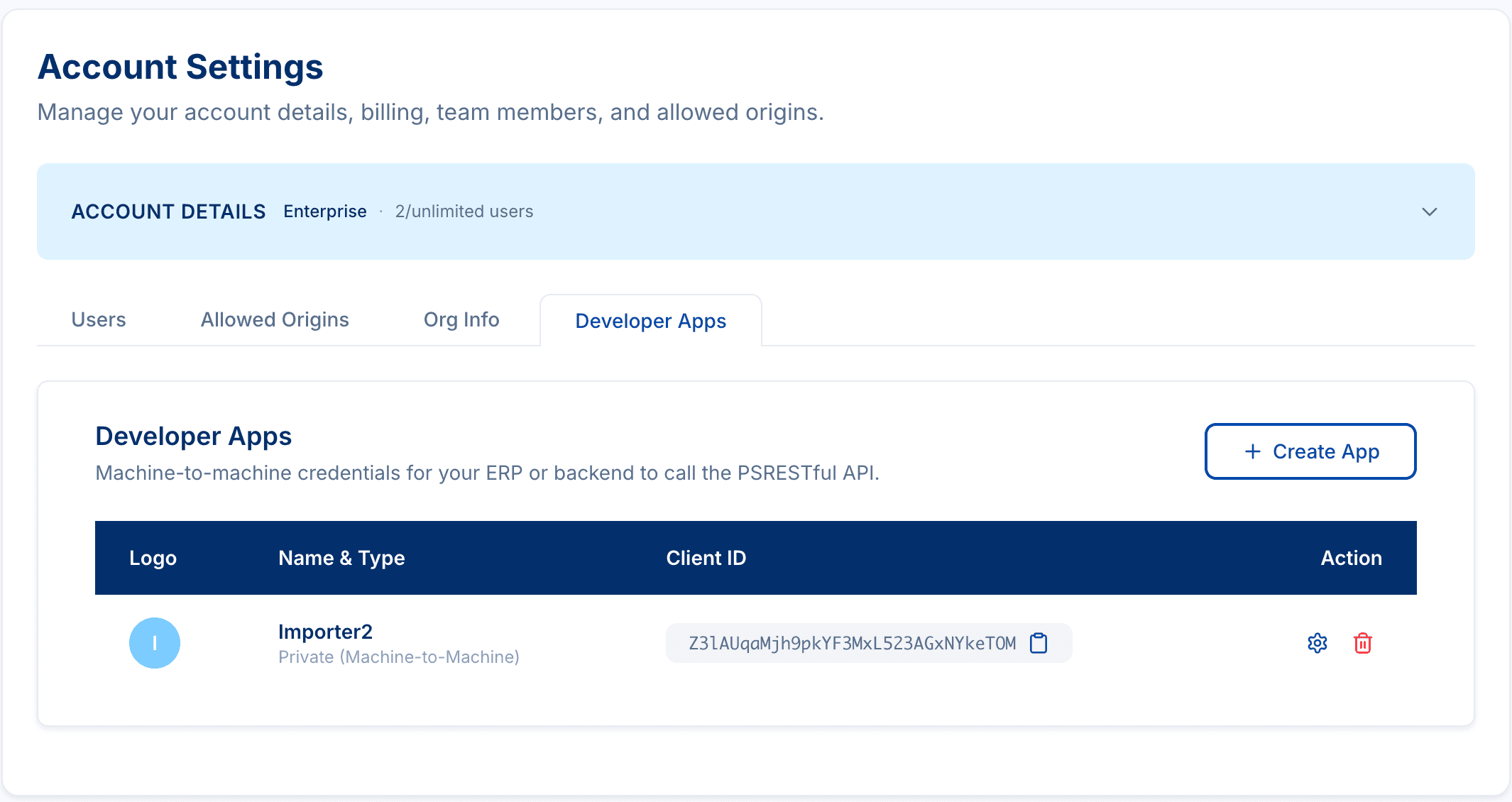
One app for your ERP, one for your storefront sync, one for staging. Now the questions that used to be painful have boring answers:
- A contractor’s laptop was stolen. Rotate the app they had. Nothing else moves.
- We’re decommissioning the old middleware. Delete its app. The rest of the integration is untouched.
- Which system made that call? The Client ID identifies the app, and it’s safe to log.
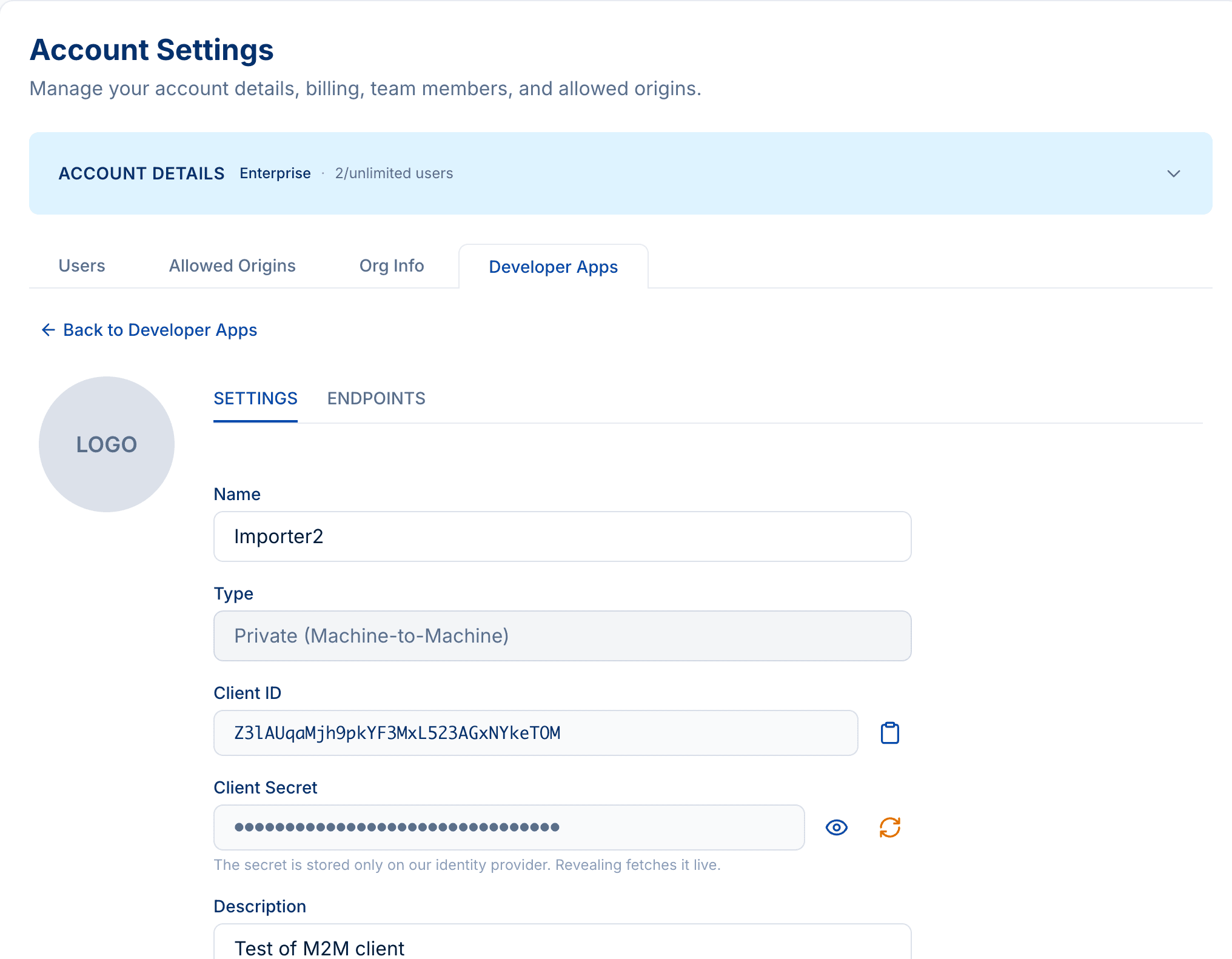
Rotating a secret is a button on that screen, and the old secret stops working immediately. That’s the whole point: rotation should be something you do casually, not something you schedule a maintenance window for.
It’s about three requests, not a rewrite
Adopting OAuth2 isn’t a project. You POST your client ID and secret to the token endpoint, get back an access token, and put it in an Authorization header:
curl -X POST "https://auth.psrestful.com/oauth/token" \
  -H "content-type: application/json" \
  -d '{
    "client_id":     "YOUR_CLIENT_ID",
    "client_secret": "YOUR_CLIENT_SECRET",
    "audience":      "psrestful",
    "grant_type":    "client_credentials"
  }'
curl "https://api.psrestful.com/me" \
-H "Authorization: Bearer YOUR_ACCESS_TOKEN"If /me comes back with your account, you’re done. Every other endpoint takes the same header.
The one thing worth getting right is caching. Tokens last 24 hours, so fetch one, hold it in memory, and refresh it shortly before it expires. Minting a fresh token on every request is slow and pointless. The OAuth2 Integration Guide has copy-paste Python and Node implementations of exactly that, plus the full walkthrough for creating the app.
Where API keys still make sense
OAuth2 is a recommendation, not a requirement. Private API keys keep working everywhere they work today.
| What you’re doing | Use |
|---|---|
| Reads from a browser or storefront | Public API key (origin-locked) |
| Server-side reads (catalog, inventory, pricing, media, order status, invoices) | Private API key or OAuth2 |
| Submitting purchase orders | OAuth2 recommended |
Account and admin endpoints (/me, credentials, sub-accounts) | OAuth2 recommended |
There is exactly one hard rule: the public browser key cannot submit purchase orders or call account endpoints, and a client secret must never reach a browser. If you’re calling PSRESTful from front-end code, that’s what the origin-locked public key is for. See Authentication for the full picture.
The pattern to notice is that the more consequential the operation, the more we lean toward OAuth2. Reading a product description with a static key is a small risk. Submitting a purchase order to a supplier with one is a different conversation.
The part where your security team gets involved
Something changed for us over the past year: PSRESTful is increasingly used by organizations whose procurement process includes a security review. We get the questionnaire. Someone asks how credentials are stored, whether they can be rotated, whether access can be scoped per system, whether we can revoke a single integration without taking down the others.
We are not SOC 2 certified today, and we’re not going to pretend otherwise. It’s on the roadmap, and when we get there we’ll say so plainly.
What we are is ready to have the conversation. The controls a reviewer actually asks about are in the product now, not on a slide:
- Short-lived credentials. 24-hour tokens for machine-to-machine access, not permanent secrets.
- Per-integration isolation. One Developer App per system, so revocation and rotation have a blast radius of one.
- Self-service rotation and revocation. Rotate a secret or delete an app from the dashboard; the old secret dies immediately.
- Secrets held at the identity provider, not sitting in an application database. Revealing a secret fetches it live, and only admins can do it.
- Role-based access. Only Admin and Developer roles can manage Developer Apps. See Roles & Permissions .
- Account-scoped tokens. A token authorizes as exactly one account, with that account’s supplier credentials and plan limits. Nothing crosses over.
- TLS everywhere, with per-plan rate limits on top.
If you’re the person who has to fill in the vendor form, send it over. We’d rather answer a hard question than lose the deal to a shrug, and if there’s a control you need that we don’t have yet, we’d genuinely like to know which one. That’s how it gets built.
Getting started
Open Account Settings → Developer Apps in your dashboard and create an app. The OAuth2 Integration Guide covers the rest: creating the app, requesting a token, caching it properly, and troubleshooting the 401s and 403s you’re most likely to hit on the first try.
If you’re migrating an existing integration and want a second pair of eyes on the rollout, get in touch .