Stock Check: Real-Time Inventory Across 50+ Suppliers From One Dashboard
A customer calls. They want 500 units of a specific polo in royal blue, size Large. You need to know if it’s available. Not tomorrow, not after a callback. Right now.
Before Stock Check, answering that question meant logging into a supplier portal (or two, or five), navigating to their inventory page, and hoping the data was current. For some suppliers, it meant picking up the phone. Multiply that across a product search with multiple supplier options and you’ve burned thirty minutes before you can even quote the order.
What Stock Check Does
Stock Check gives your team instant visibility into supplier inventory, broken down by:
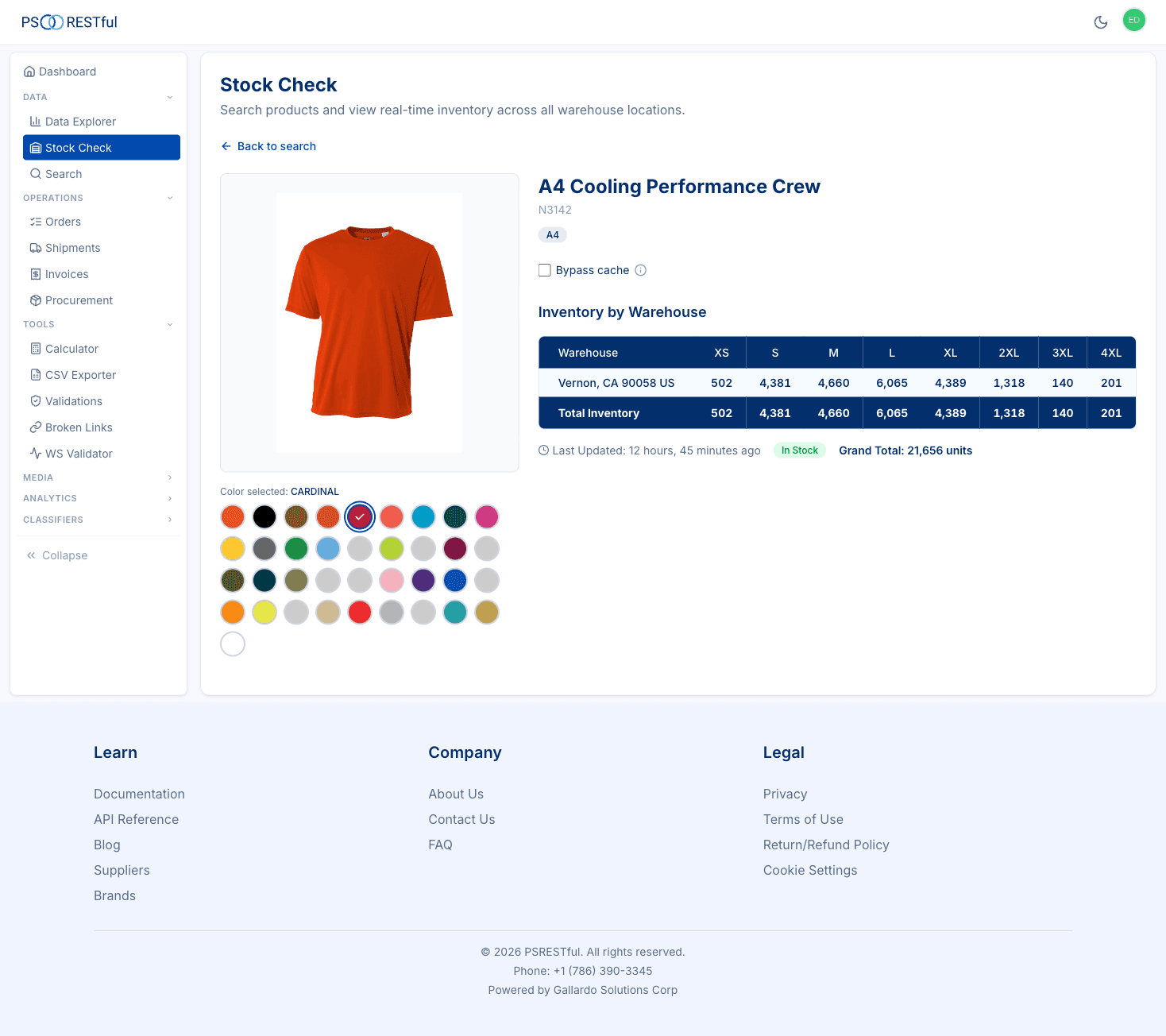
- Warehouse location: see exactly which warehouses have stock and in what quantities
- Size: confirm availability for every size in the range
- Color: pick a color variant and get the full inventory picture
All from a single dashboard, across every PromoStandards supplier that supports the Inventory service.
How It Works
The workflow is three steps:
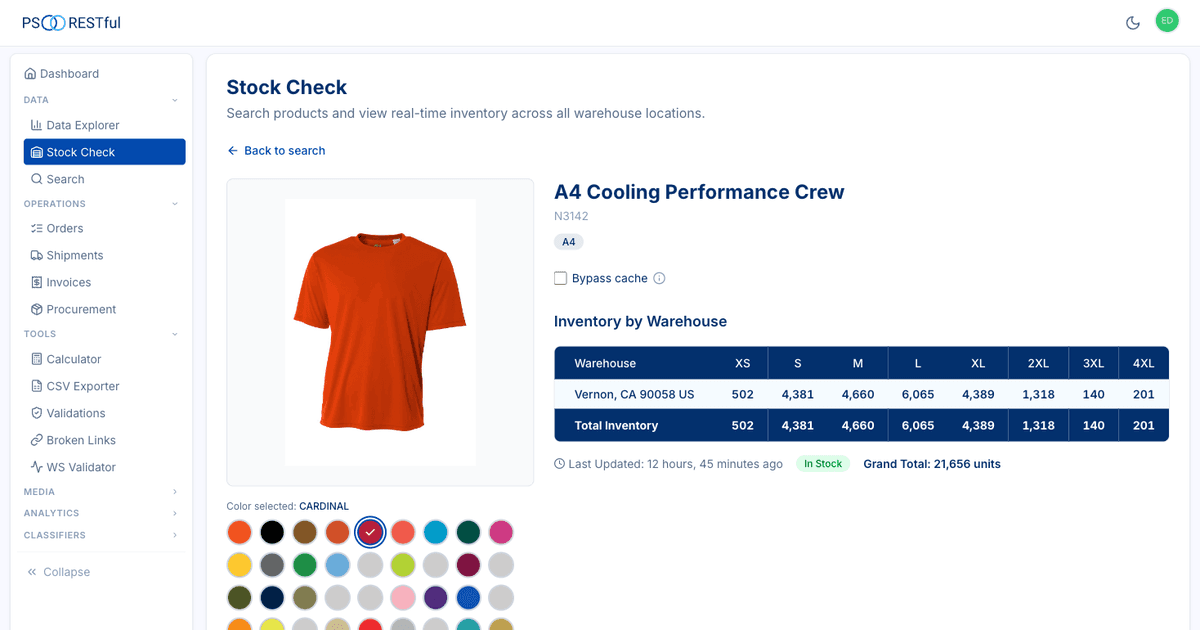
- Select a supplier from any that supports PromoStandards Inventory
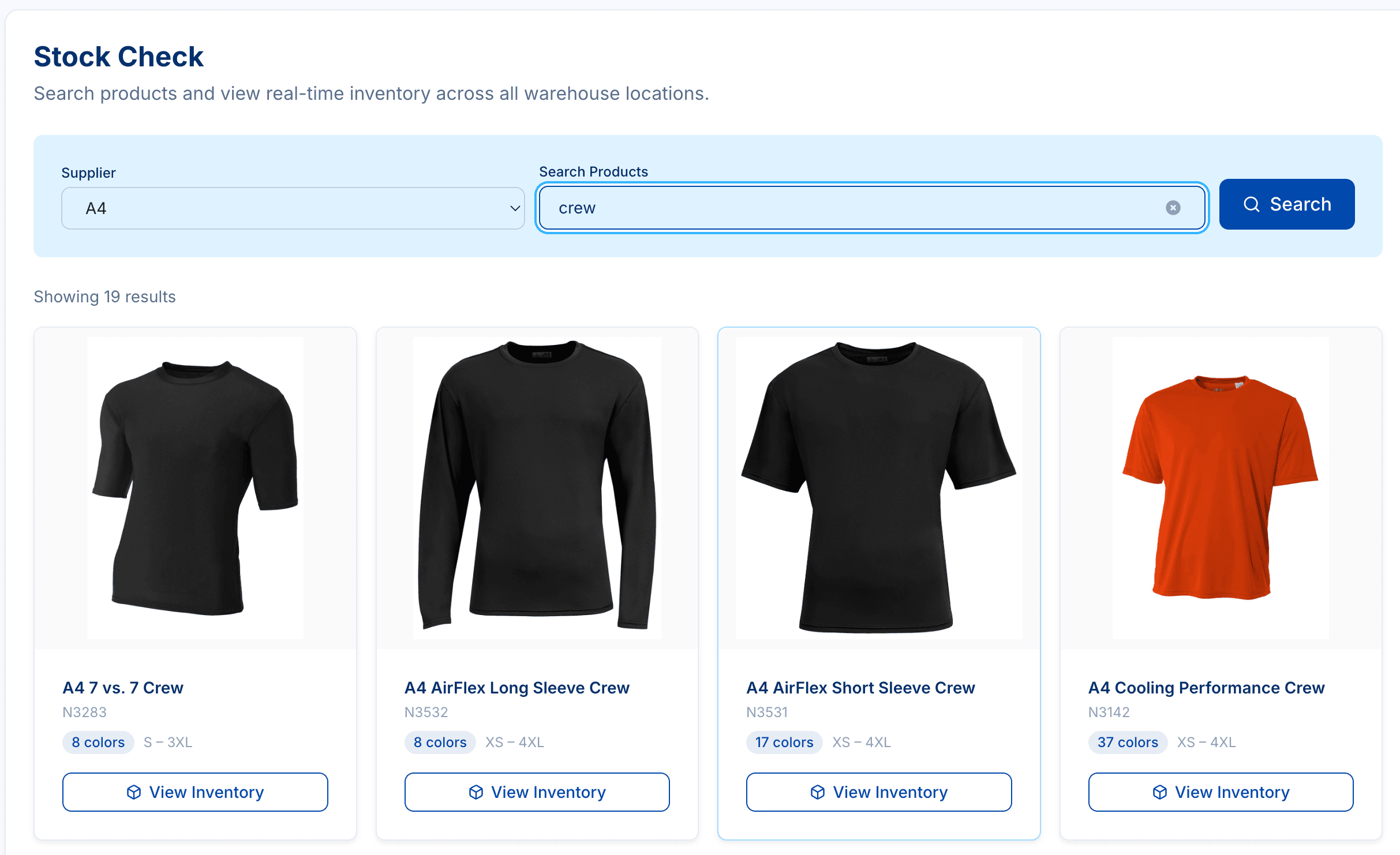
- Search for a product by name or SKU, browsing results with images, color counts, and size ranges
- Pick a color and see the full inventory grid: every size, every warehouse, with total quantities, stock status, and last-updated timestamps
No SOAP envelopes. No XML parsing. No supplier-specific portal logins. Just search, click, and see what’s available.
Six Reasons Your Team Needs This
Answer “Is it in stock?” instantly
Sales reps and customer support can check real-time inventory without calling the supplier or logging into their portal. Faster answers mean faster sales.
Warehouse-level visibility
Ship from the closest location for fastest delivery, or find the warehouse that can fulfill a large order. You see the exact quantities at each warehouse, not just a single aggregate number.
Size and color breakdown
Confirm exact availability by size and color before promising delivery. No more overselling XLs that are out of stock while Mediums sit in the warehouse.
Multi-supplier, one interface
Check inventory across SanMar, S&S Activewear, Hit Promotional, and 50+ other PromoStandards suppliers from a single dashboard. No more juggling portals.
Bypass cache for critical orders
When a big order is on the line, toggle bypass cache to query the supplier directly for the freshest inventory data possible. For routine lookups, cached data keeps things fast.
Empower your whole team
Customer Support users get direct access to inventory data, reducing bottlenecks. They can answer client questions in real-time during calls instead of promising callbacks.
Who Is This For?
Sales reps: You’re on a call and the client wants to know if 1,000 units are available in navy. Open Stock Check, search the product, pick the color, and give them the answer before they finish their sentence.
Customer support: A client emails asking about availability across multiple sizes. Instead of forwarding to the sales team or calling the supplier, check it yourself and reply in minutes.
Operations teams: You’re planning a large fulfillment and need to know which warehouse can cover the full order. The warehouse-level breakdown tells you exactly where to source from.
Try It
Stock Check is available to PSRESTful users on the Standard plan and above. If you’re already on the platform, you’ll find it in your dashboard under Stock Check. If you’re new, get in touch and we’ll get you set up.
For the full feature breakdown, visit the Stock Check landing page .